[Windows 11/10] Start for the first time (Windows OOBE)
Update : 2026/04/07 04:06
[Windows 11/10] Start for the first time (Windows OOBE)
When you turn on your computer for the first time, you will encounter the Windows Out of Box Experience (OOBE), which includes a series of screens that guide you through the basic settings of the Windows 11/10 operating system.
Note: The illustrations below may vary depending on your device model or system version.
To provide you more detailed instruction, you can also click ASUS YouTube video link below to know more about How to set up a new ASUS laptop
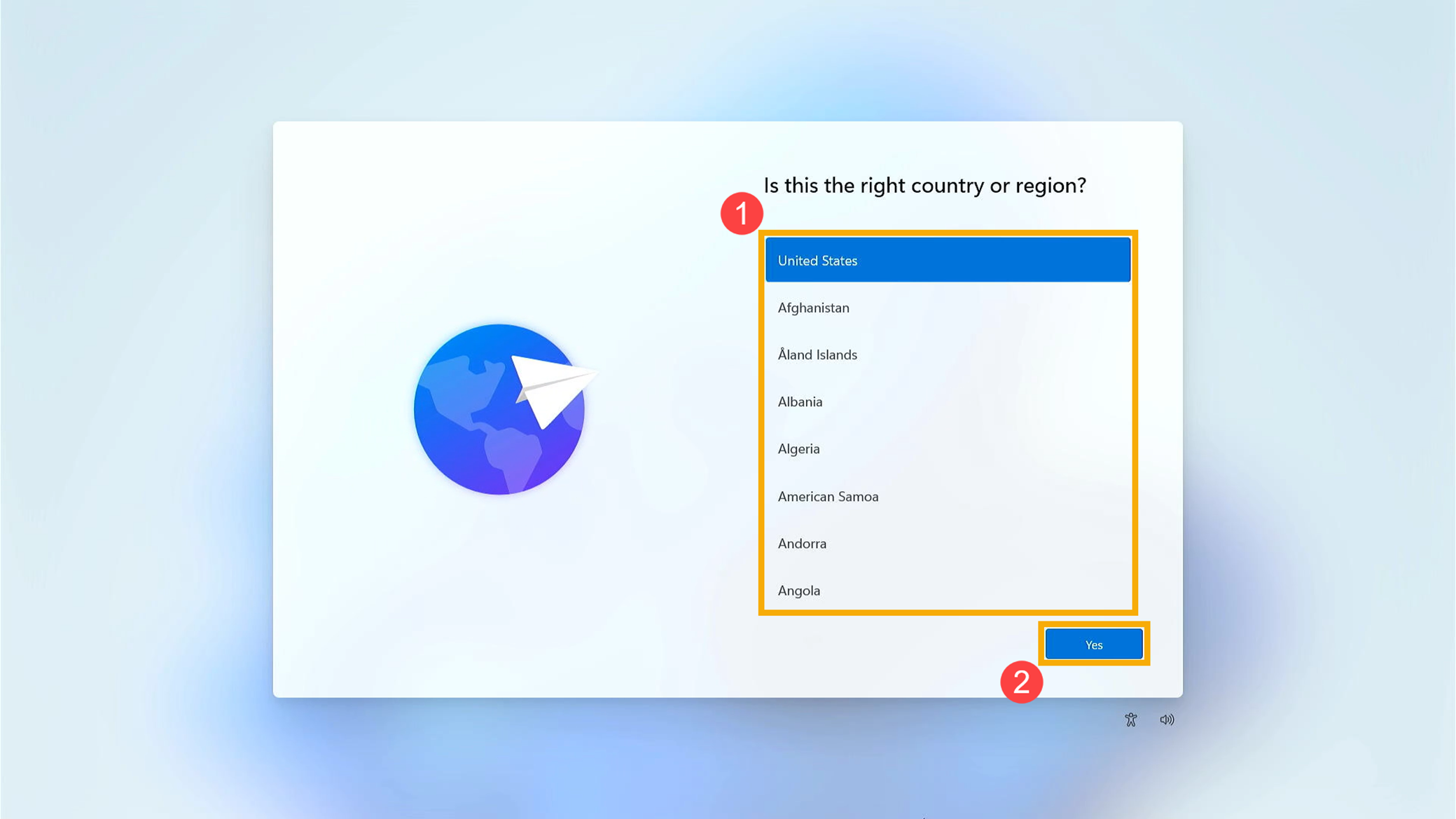
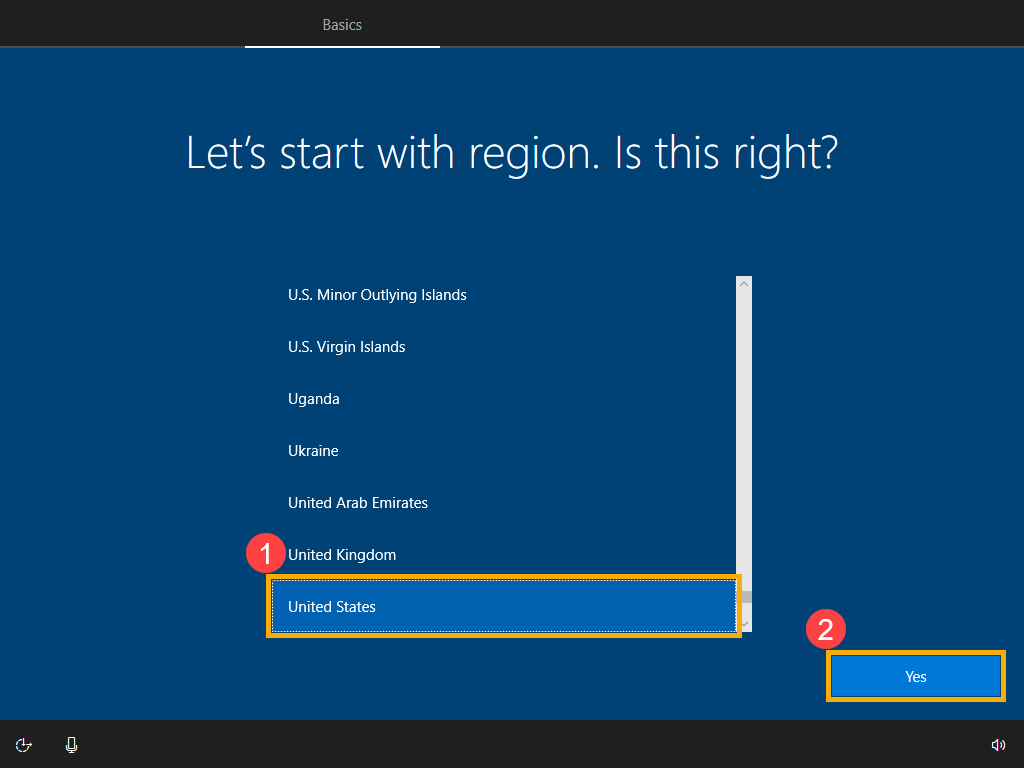
Select your region or country①, then click [Yes]②.
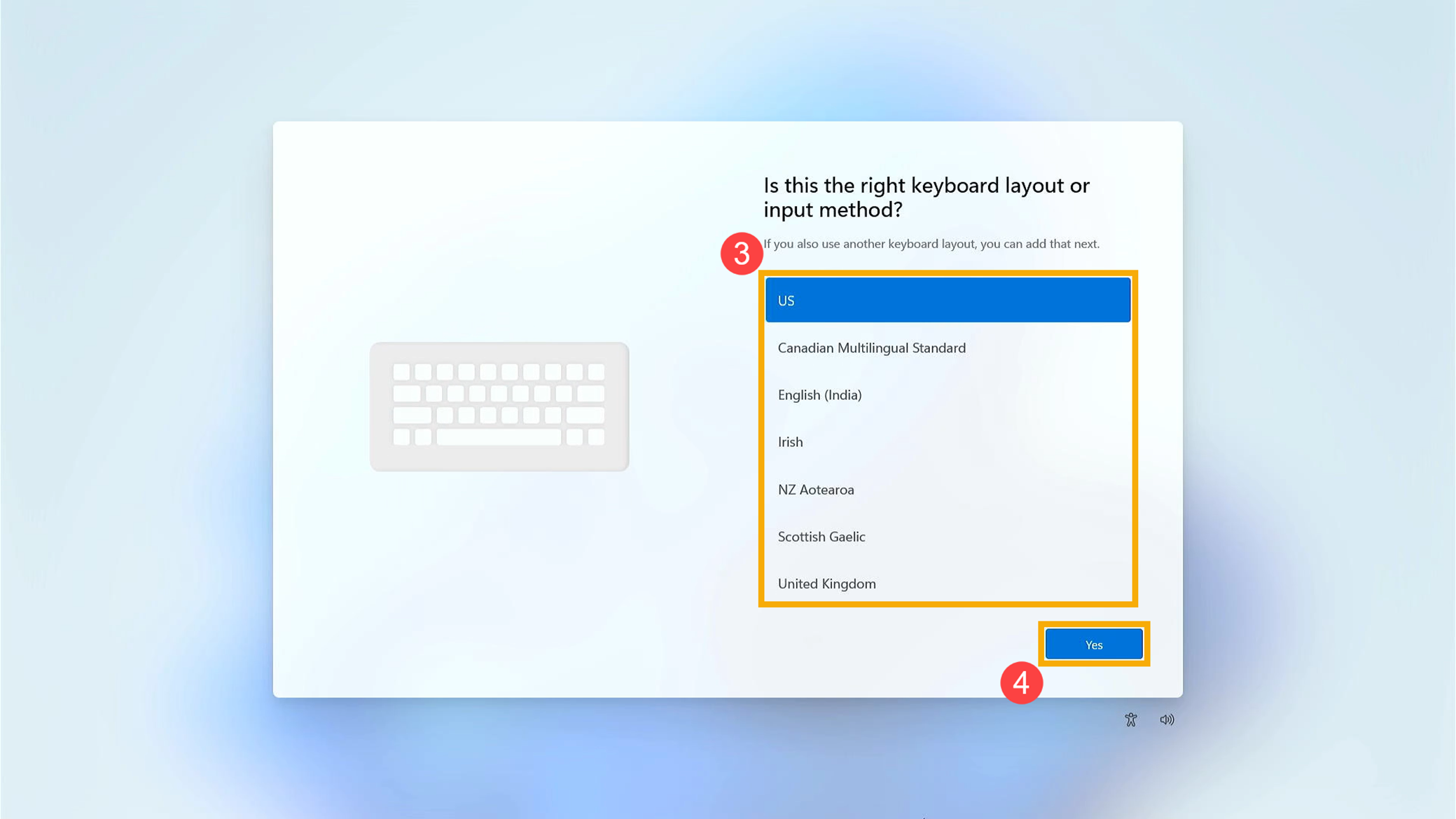
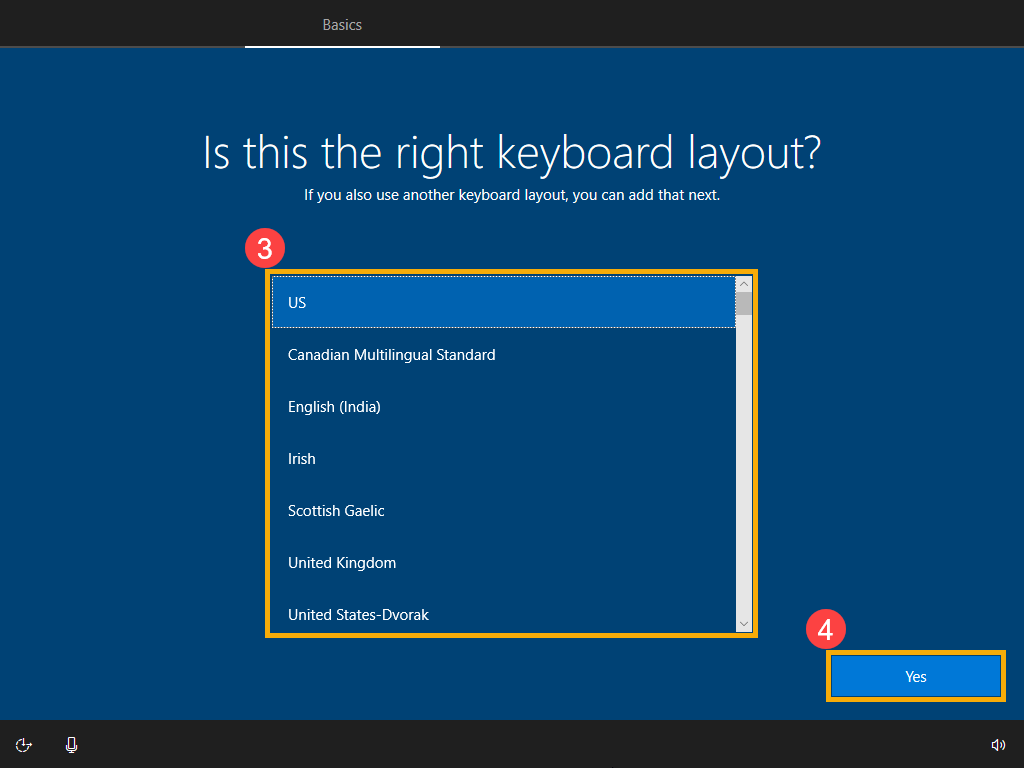
Select your keyboard layout or input method③, then click [Yes]④.
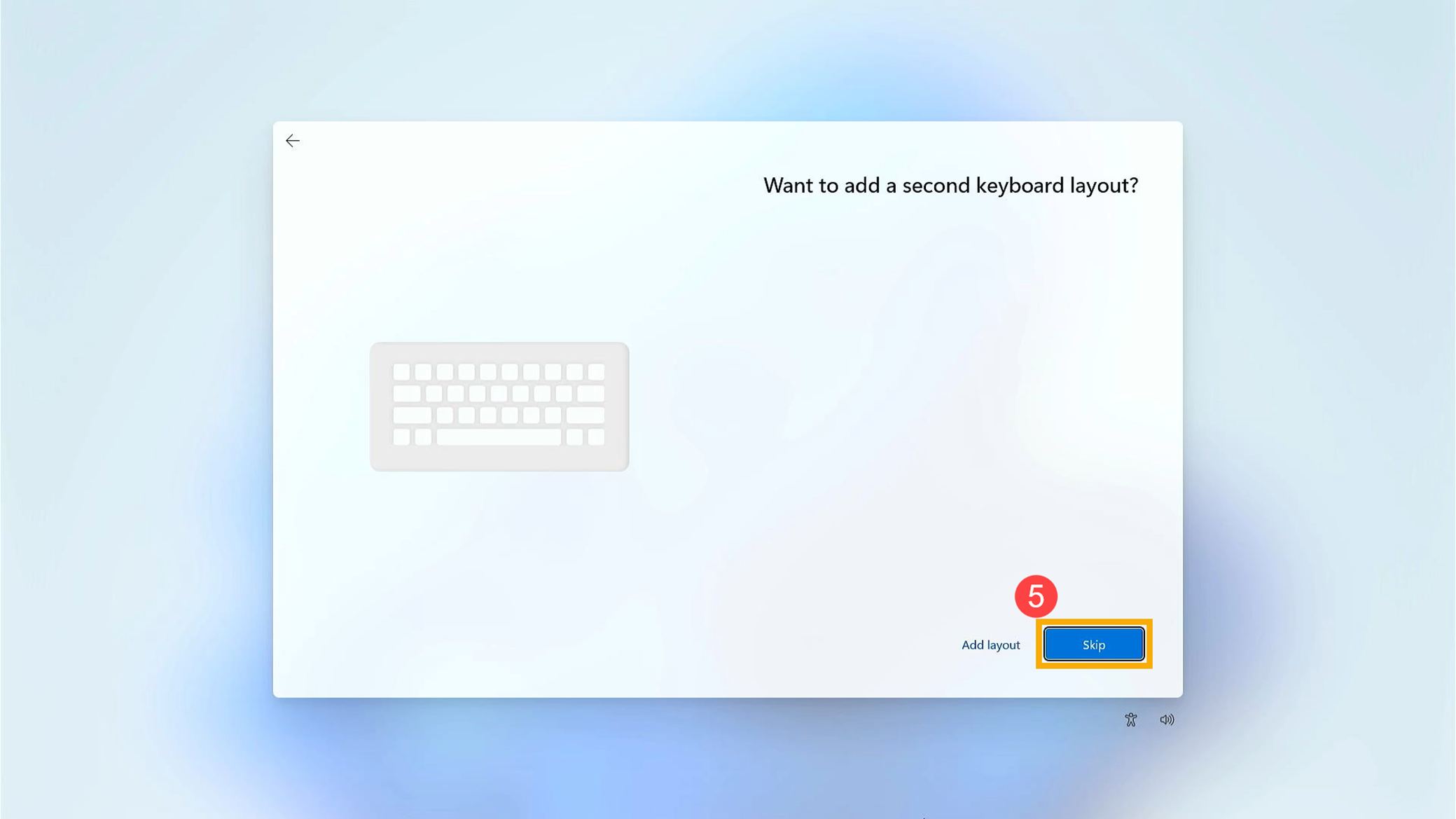
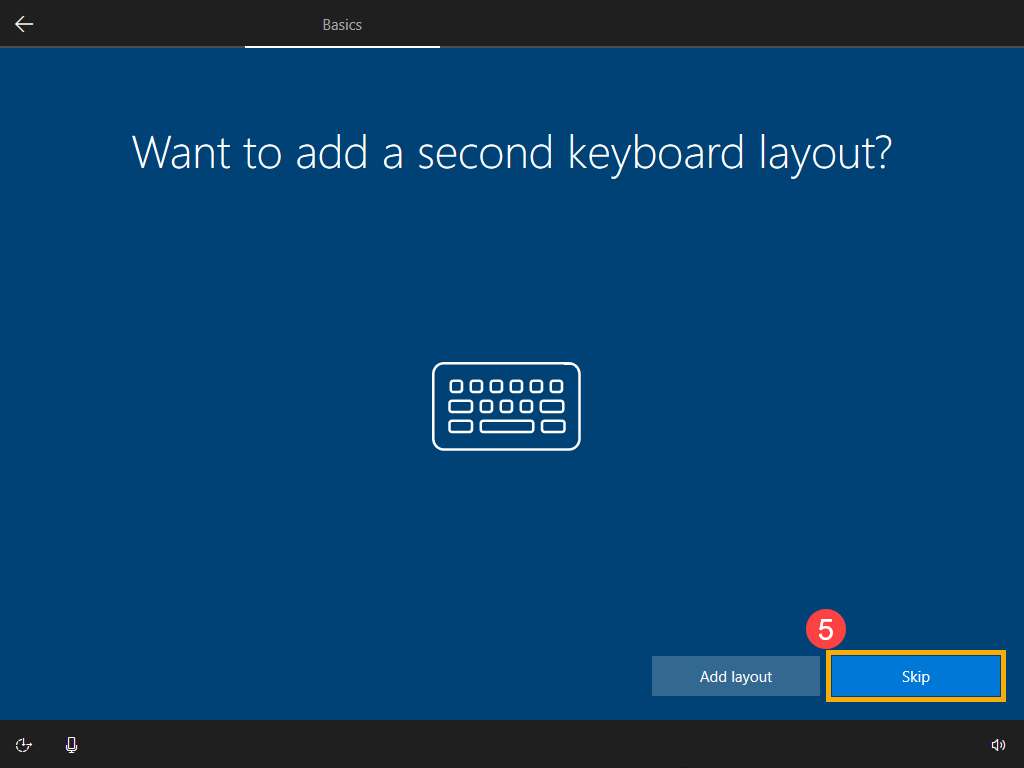
If you want to add a second keyboard layout, please select Add layout. Otherwise, please select [Skip]⑤.
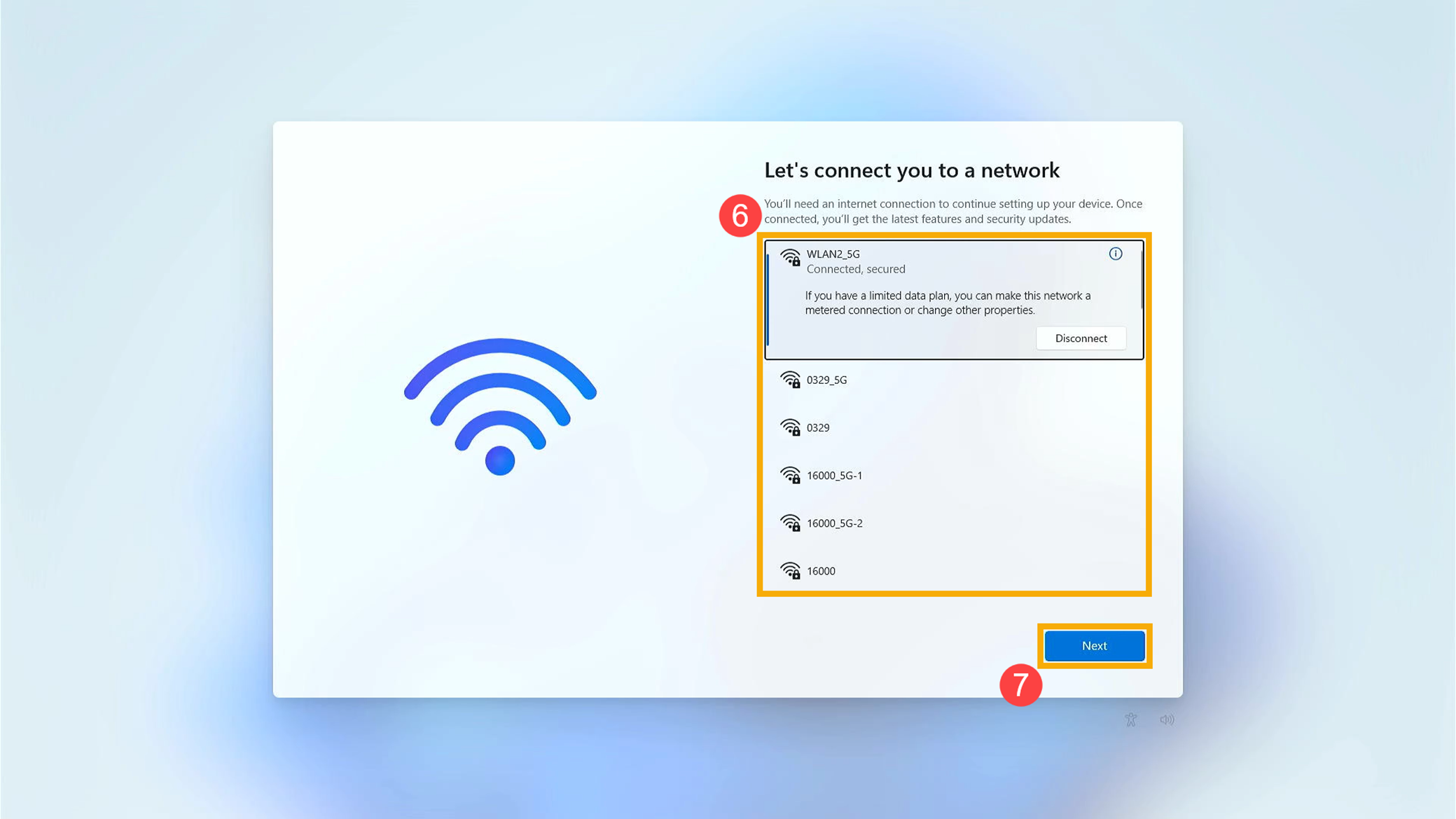
Select a network you want to connect to⑥. Once connected, please click [Next]⑦. Note: If you are using a wireless network, please ensure that you are connected to the Wi-Fi with the strongest signal to avoid potential issues with system settings and update failures that may occur with a weak signal connection.
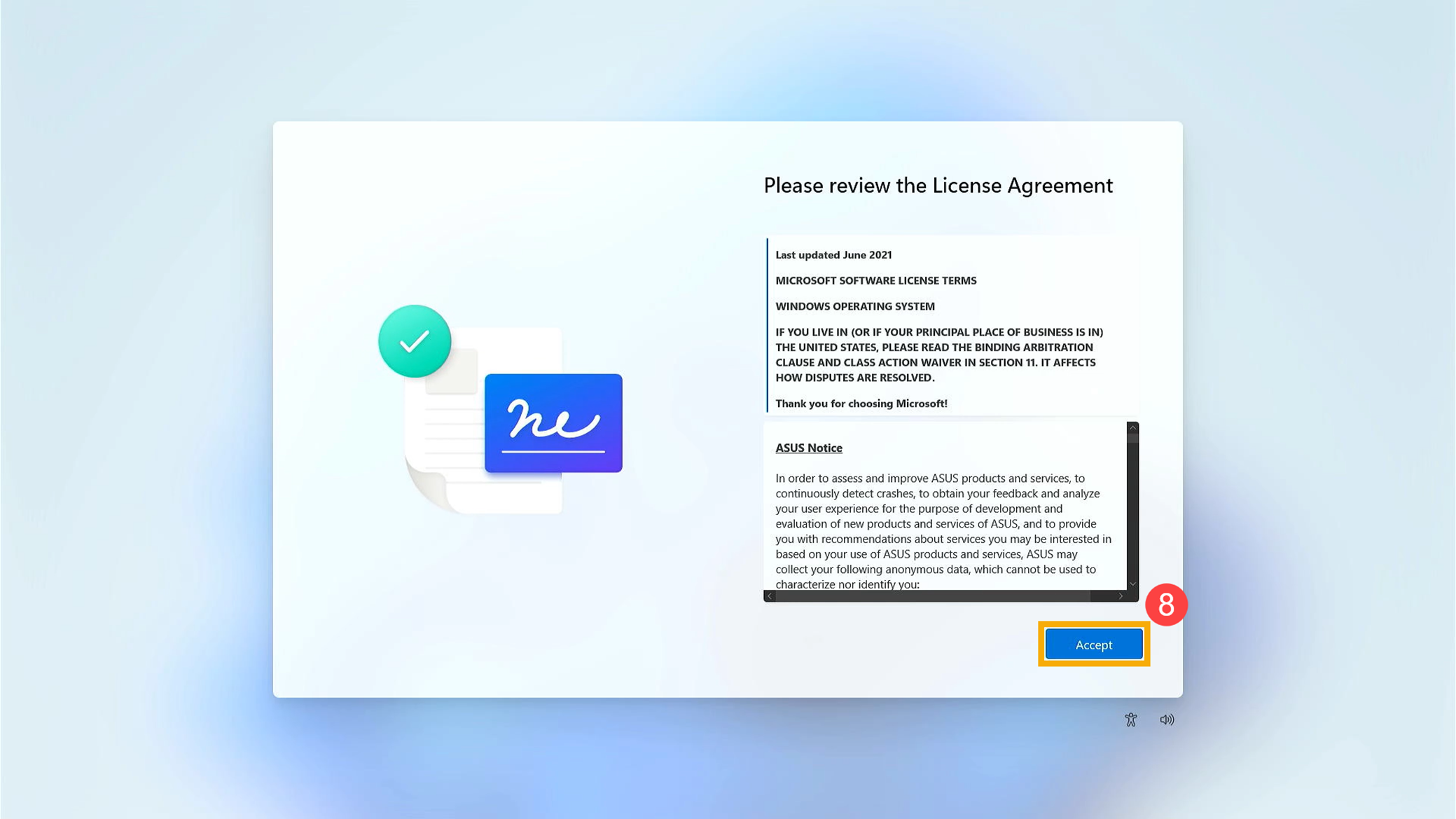
Please review the License Agreement. Click [Accept]⑧ to continue to the next step.
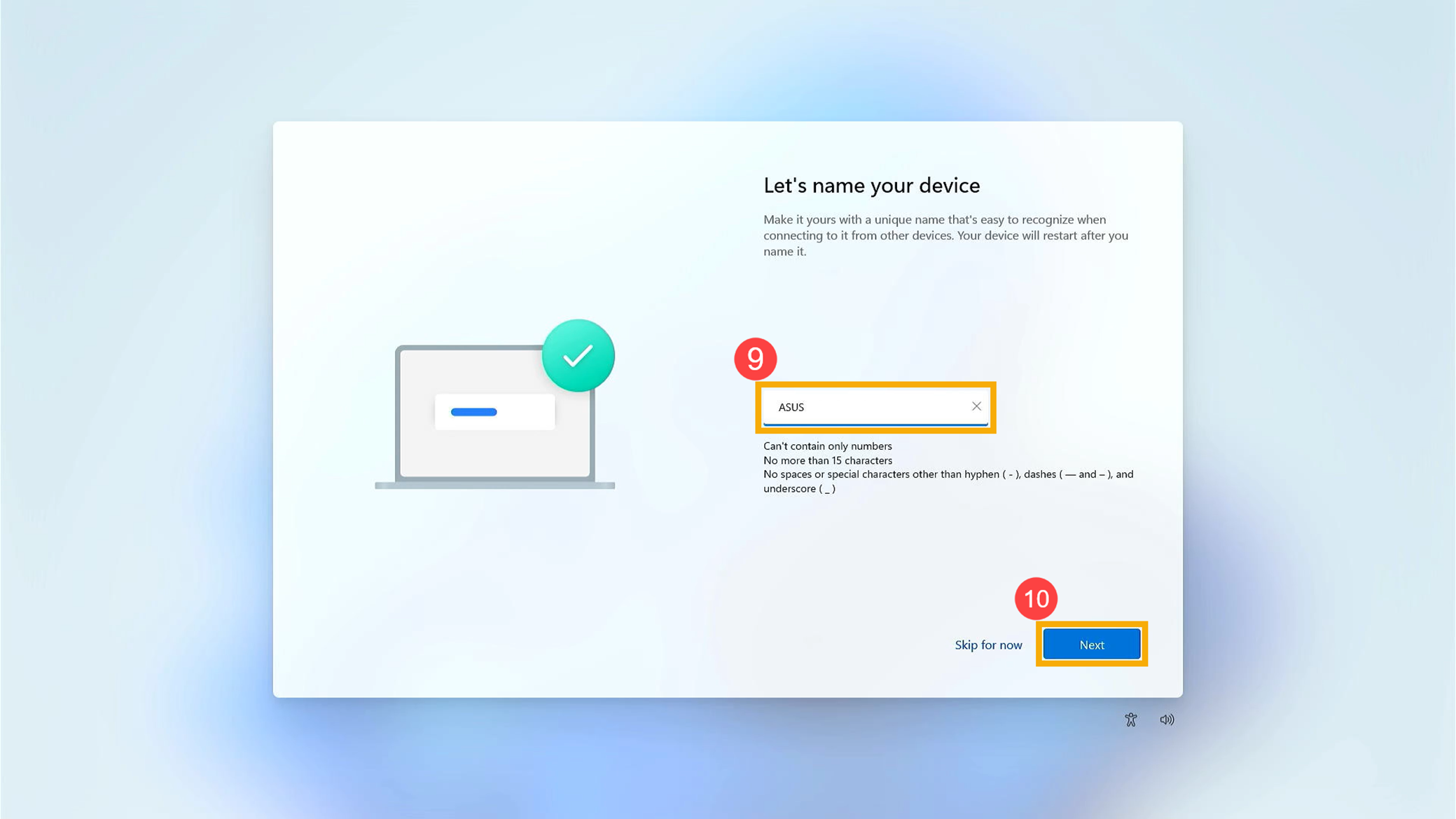
Enter your preferred device name⑨, then click [Next]⑩.
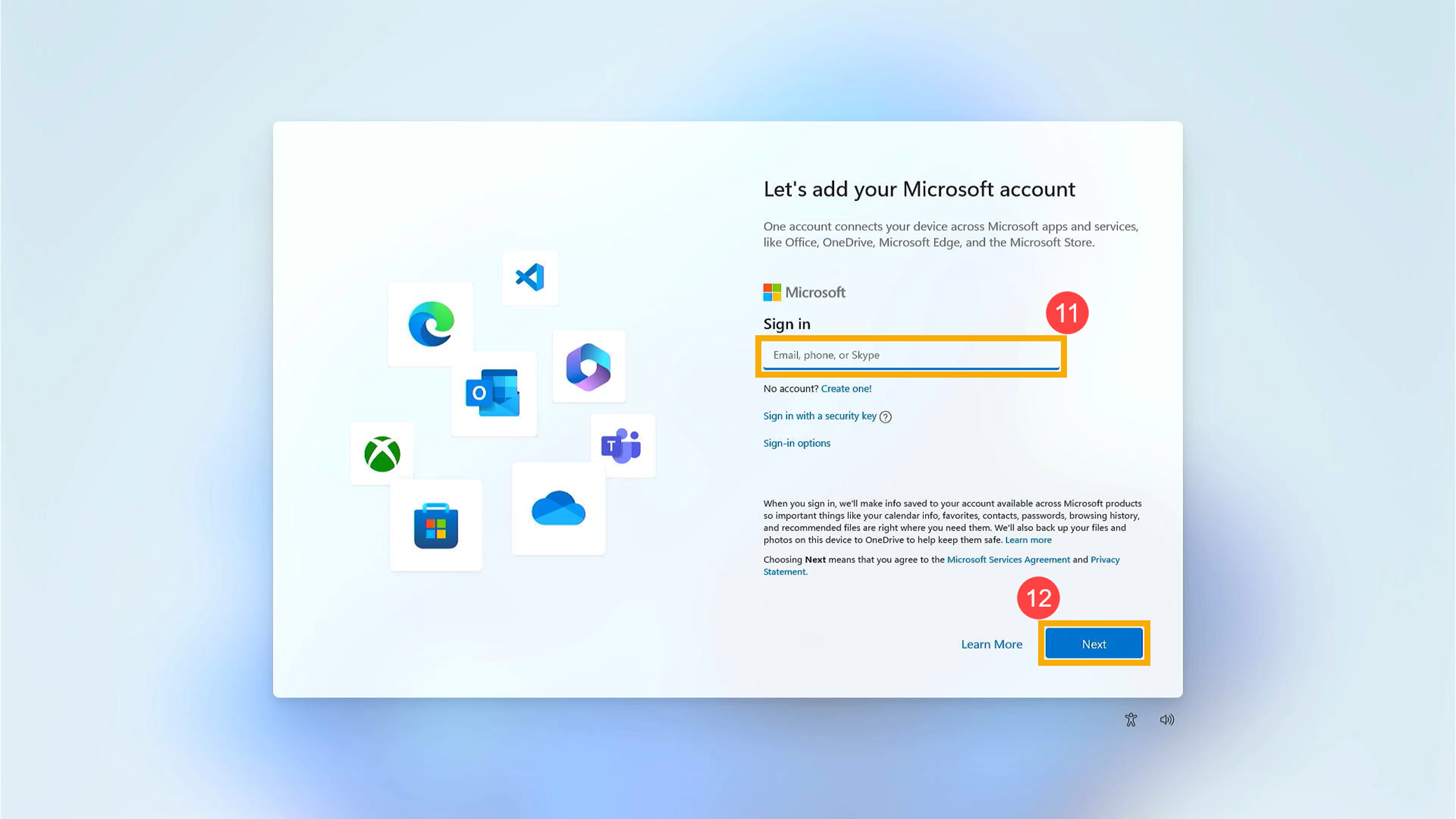
Enter your Microsoft account⑪, then click [Next]⑫. Note: If you don’t have a Microsoft account yet, you are able to create a new one, and please click Create one. For more details on the Microsoft account, please refer to Microsoft account introduction.
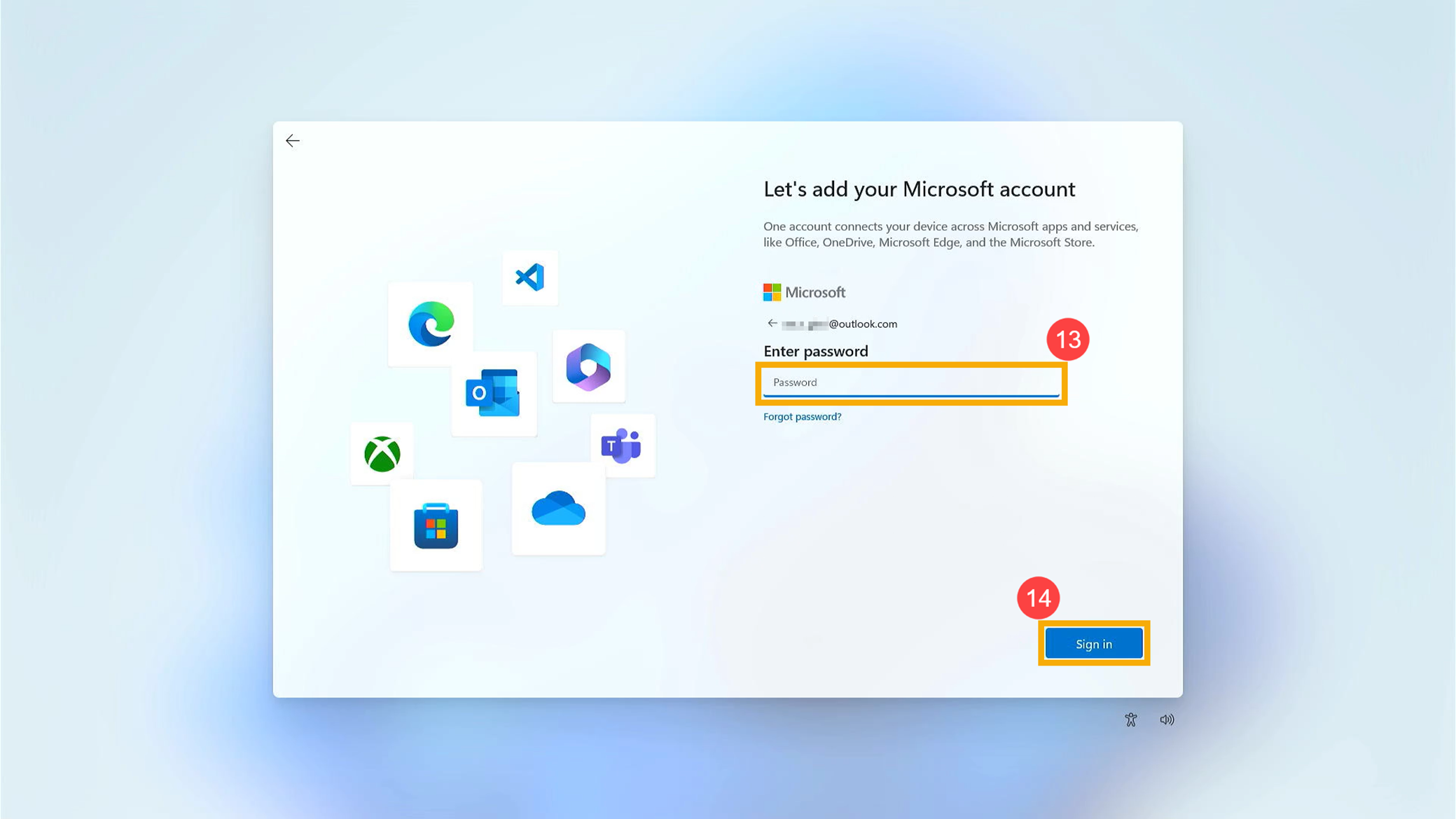
Enter your Microsoft account password⑬, then click [Sign in]⑭.
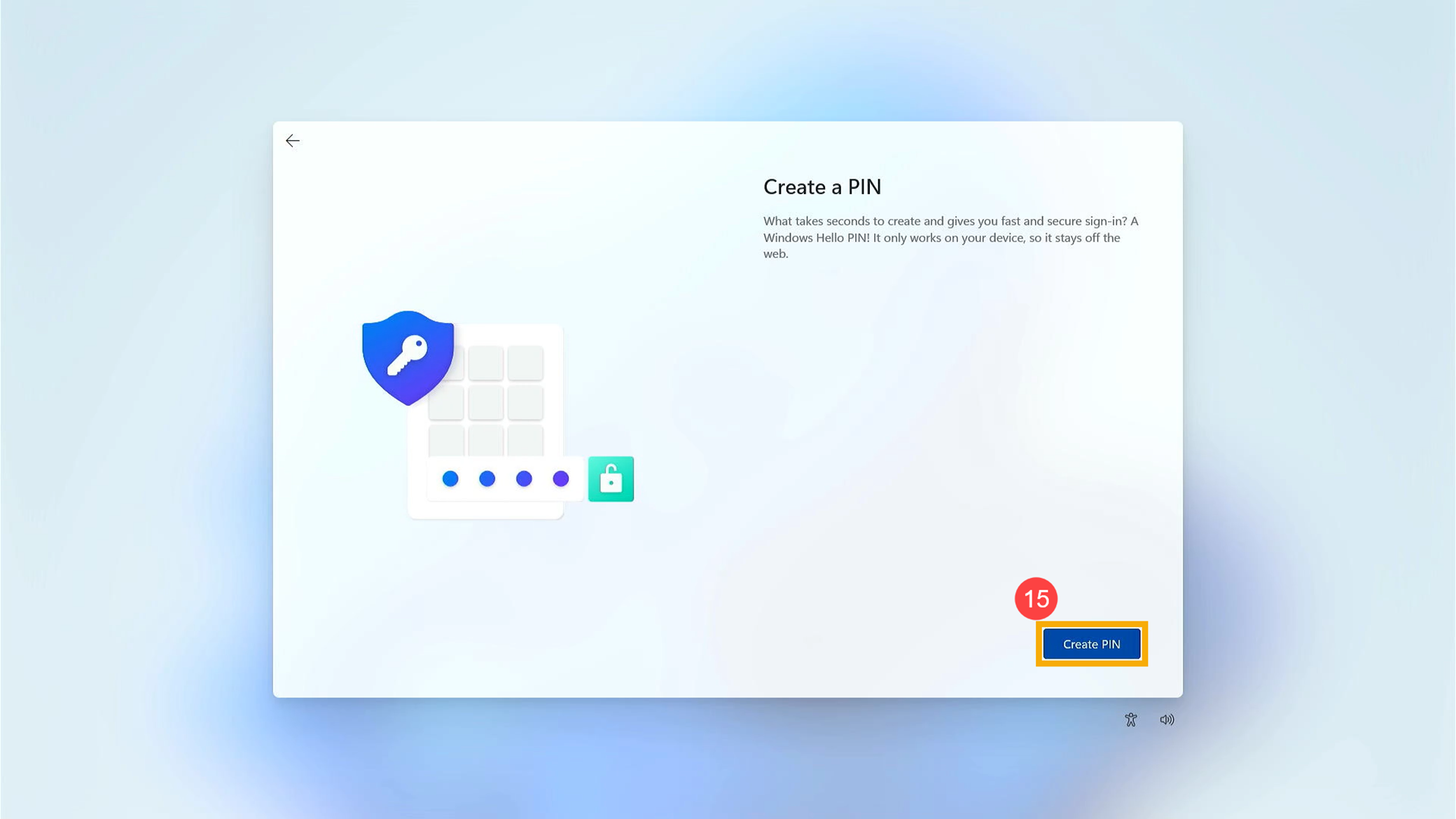
Create a Windows Hello PIN to give you fast and secure sign-in. Please click [Create PIN]⑮.
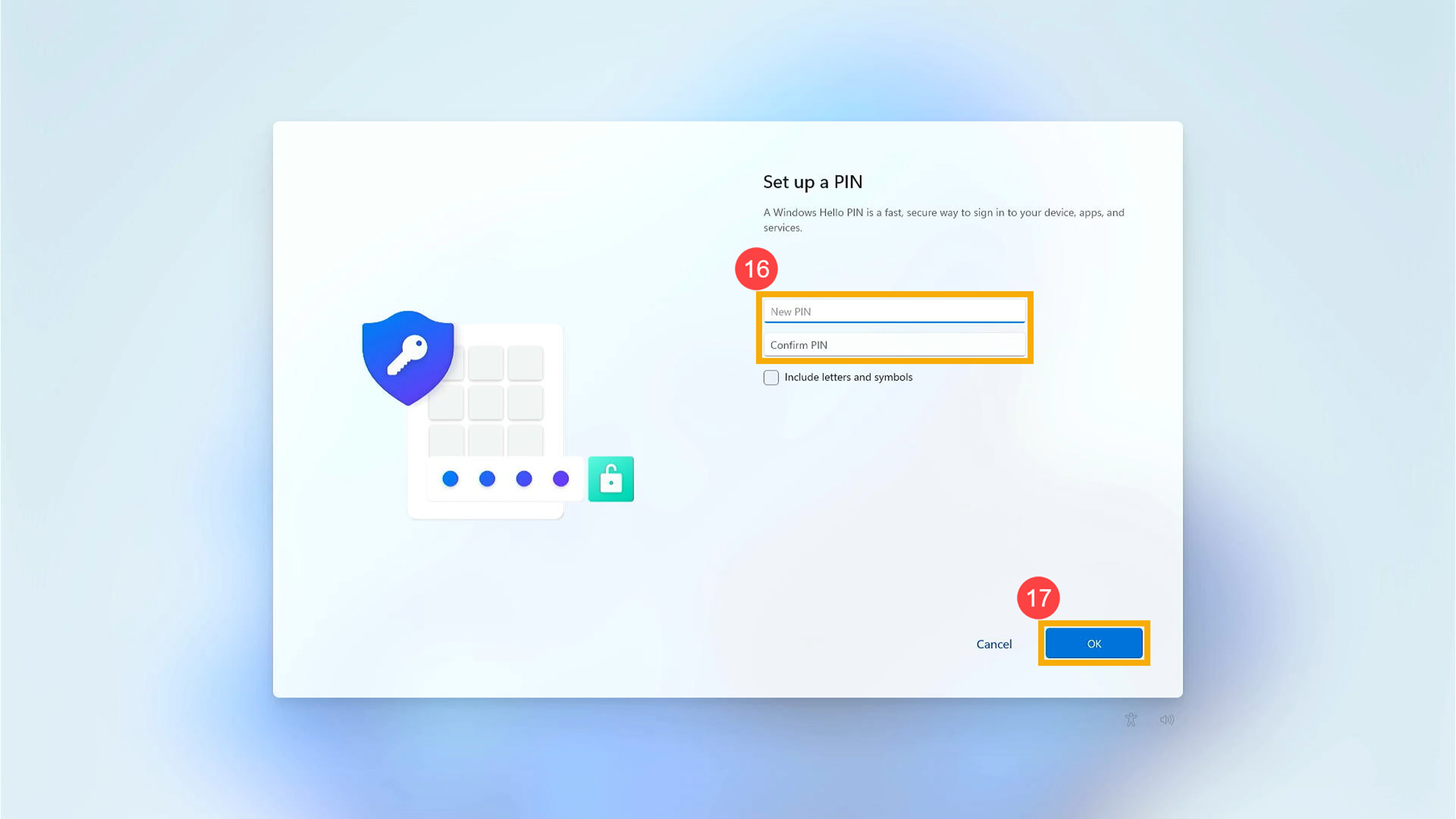
Enter a PIN you want to use⑯, then click [OK]⑰.
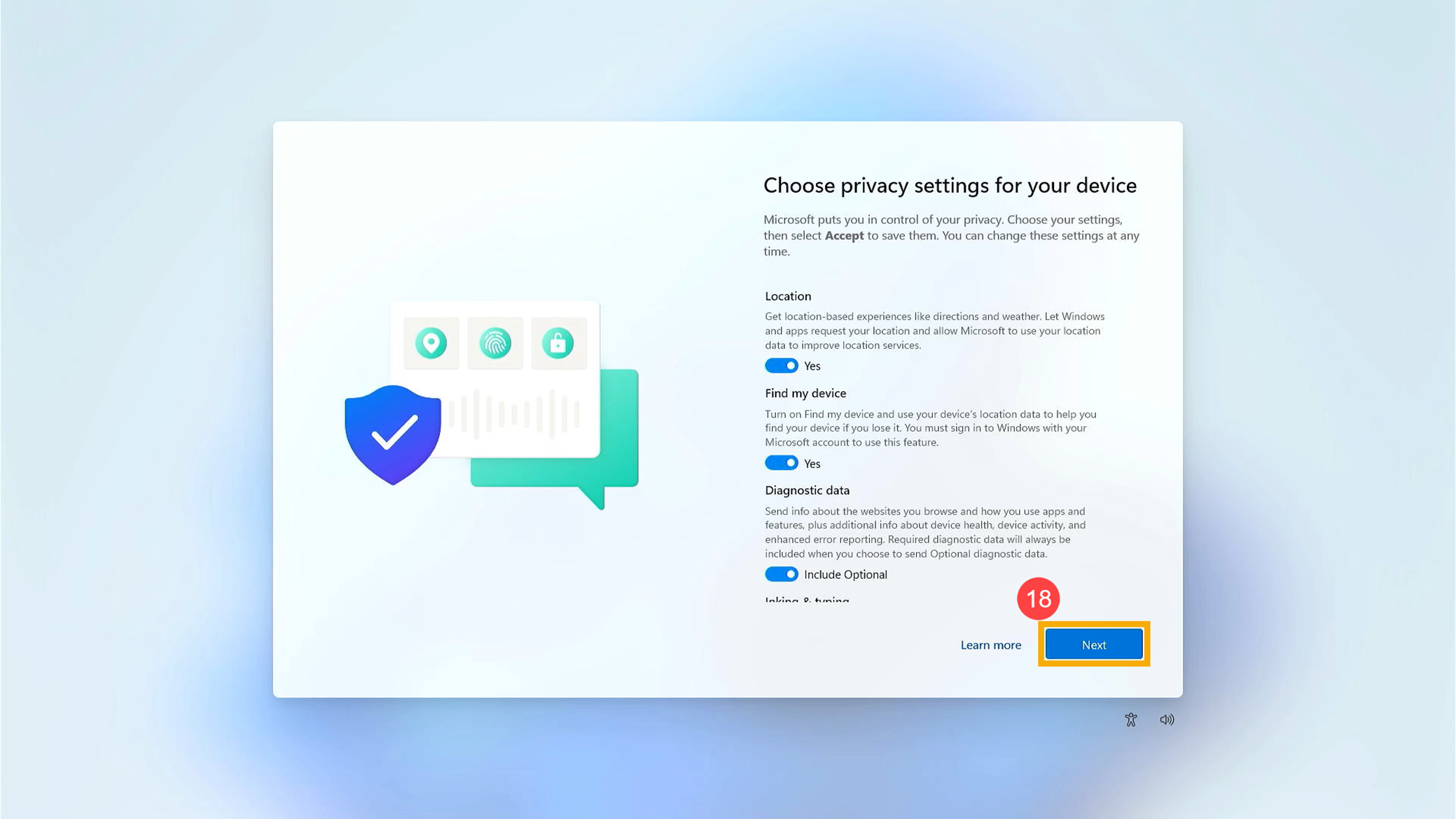
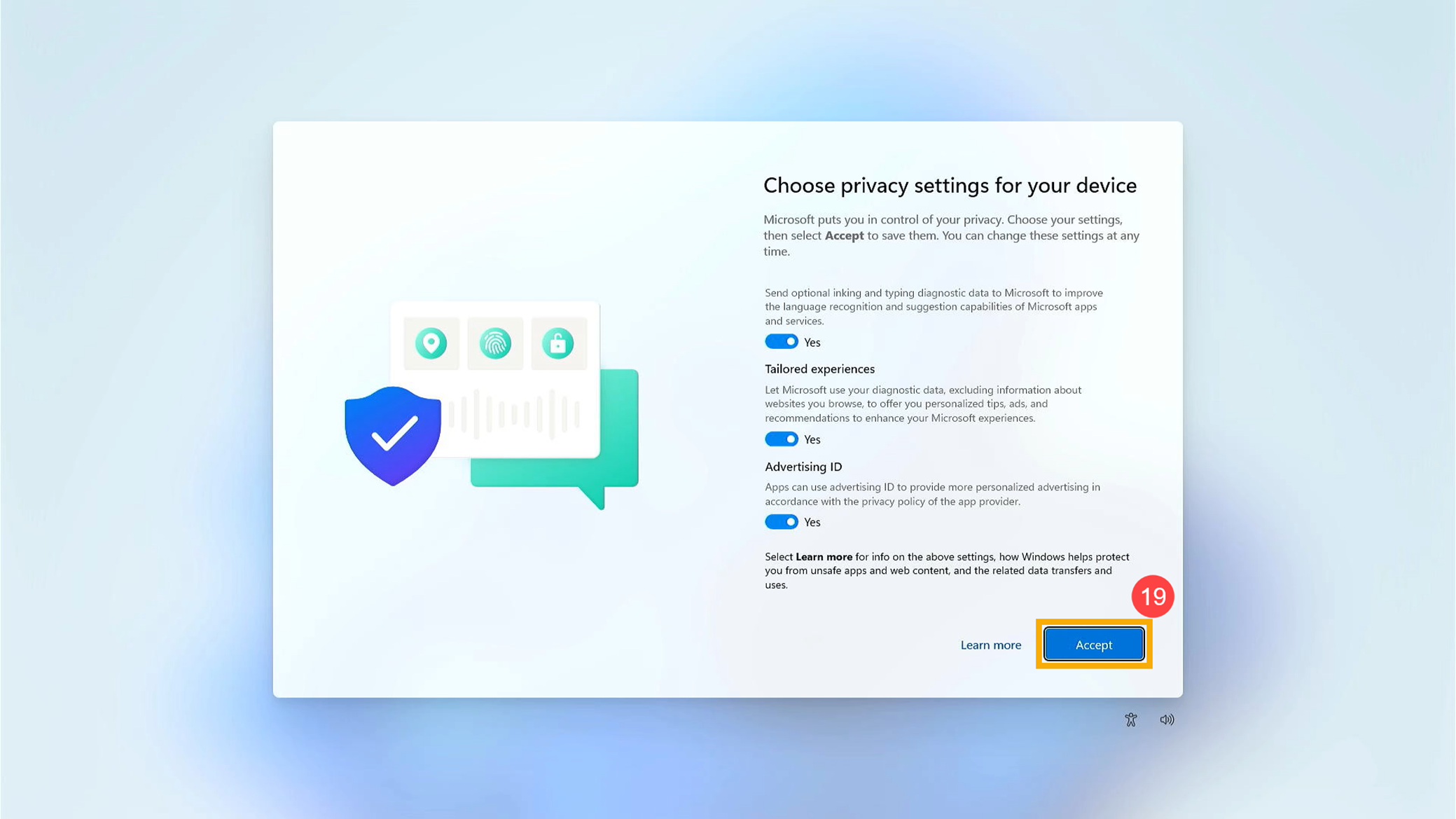
Privacy settings. Please choose the privacy settings which one you agree to let Microsoft accesses, then click [Next]⑱ and click [Accept]⑲.
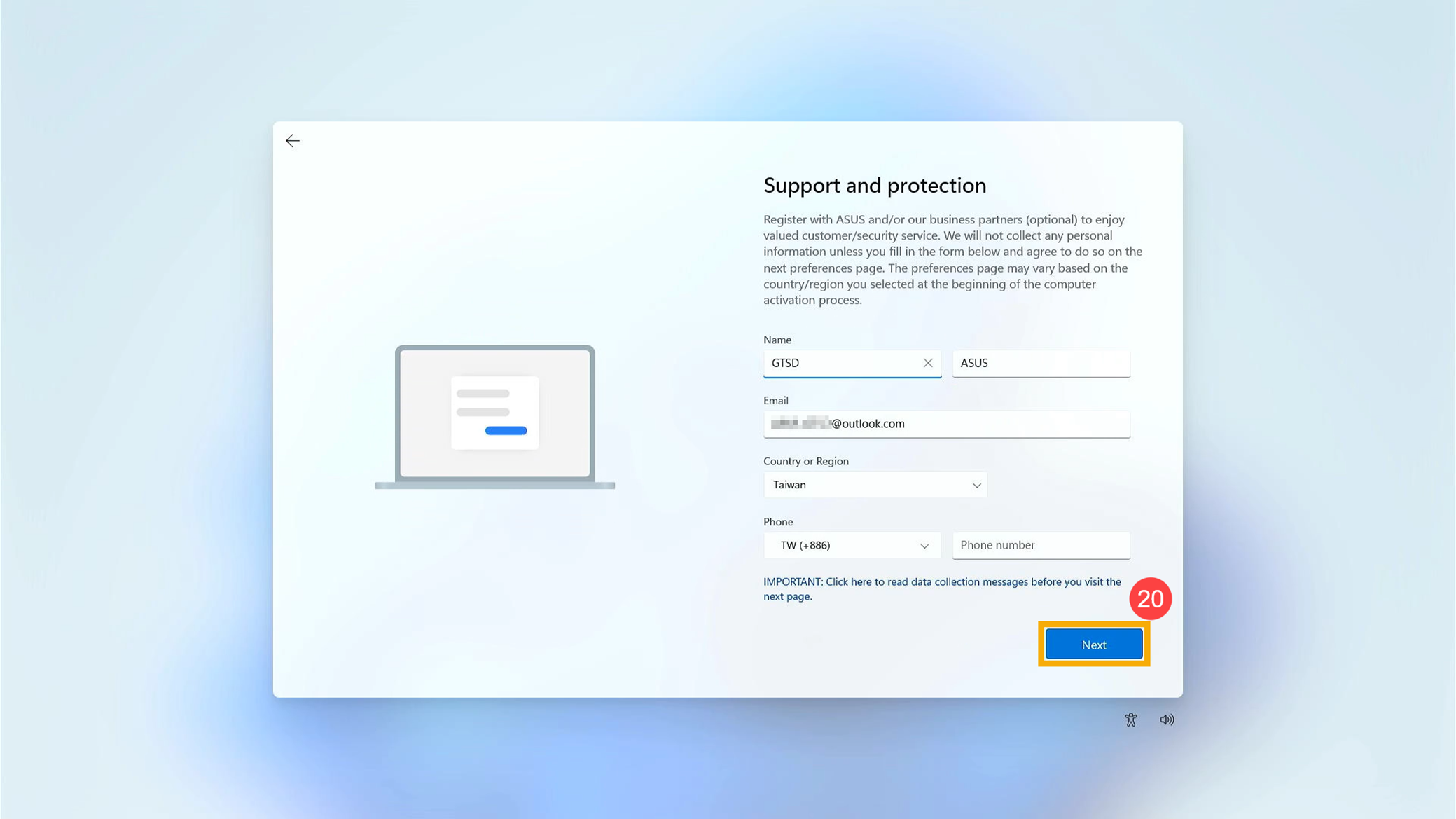
Support and protection. You are able to register with ASUS and/or our business partners (optional) to enjoy valued customer/security service. Click [Next]⑳ to continue to the next settings.
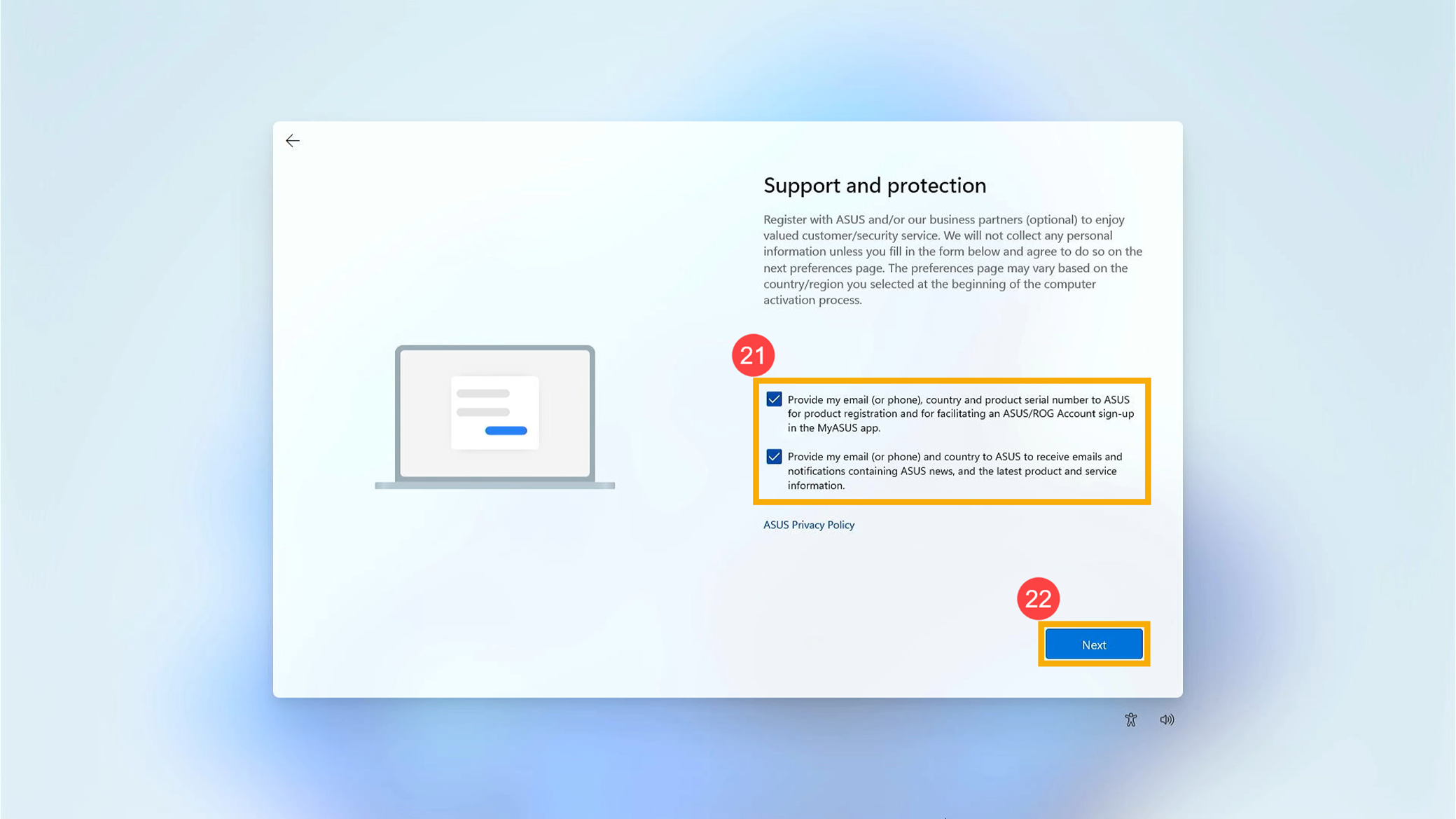
Check the boxes if you agree to provide your information to ASUS㉑, then click [Next]㉒.
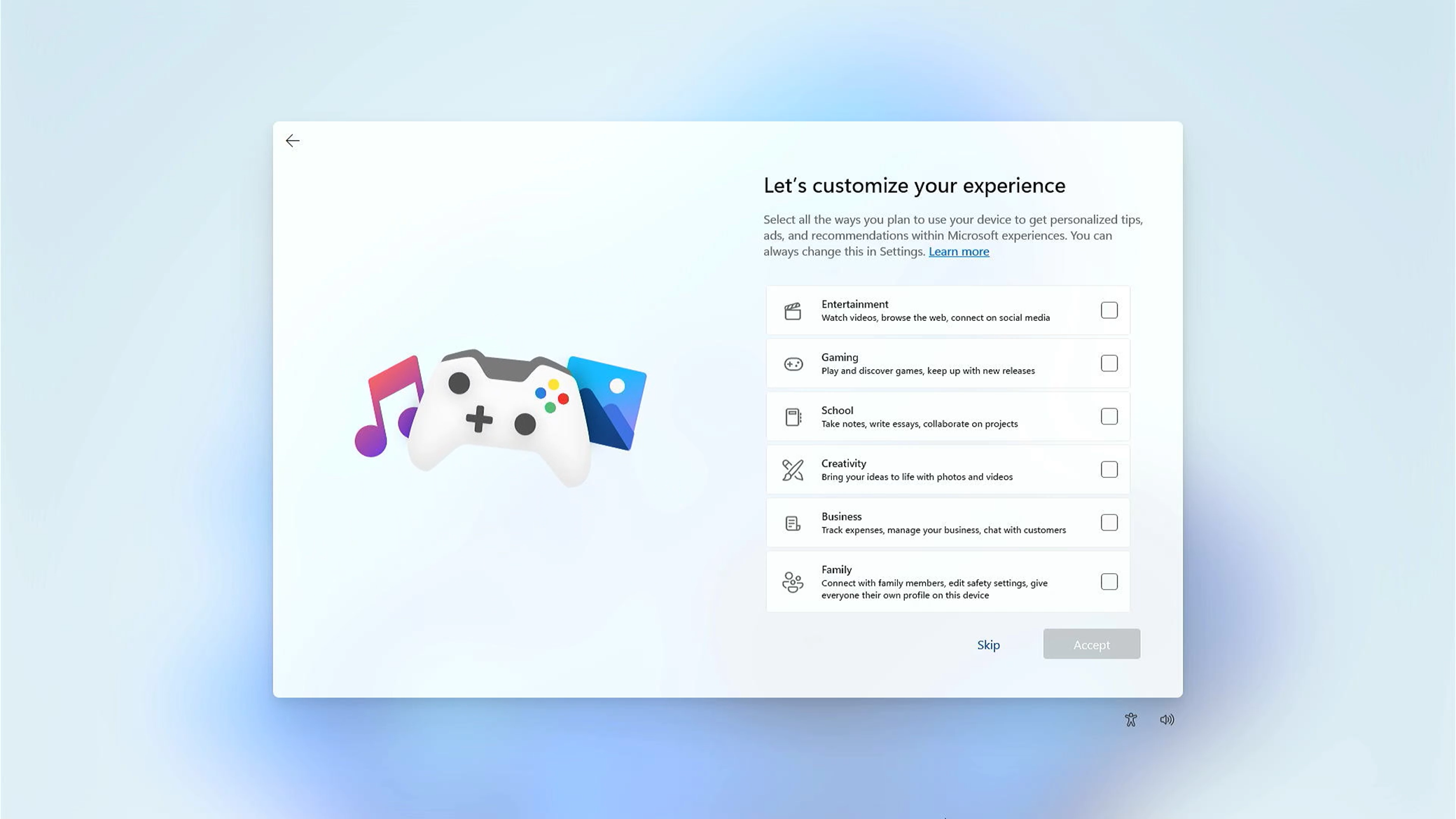
You are able to choose a way you plan to use your device to get personalized tips, ads, and recommendations with Microsoft experiences.
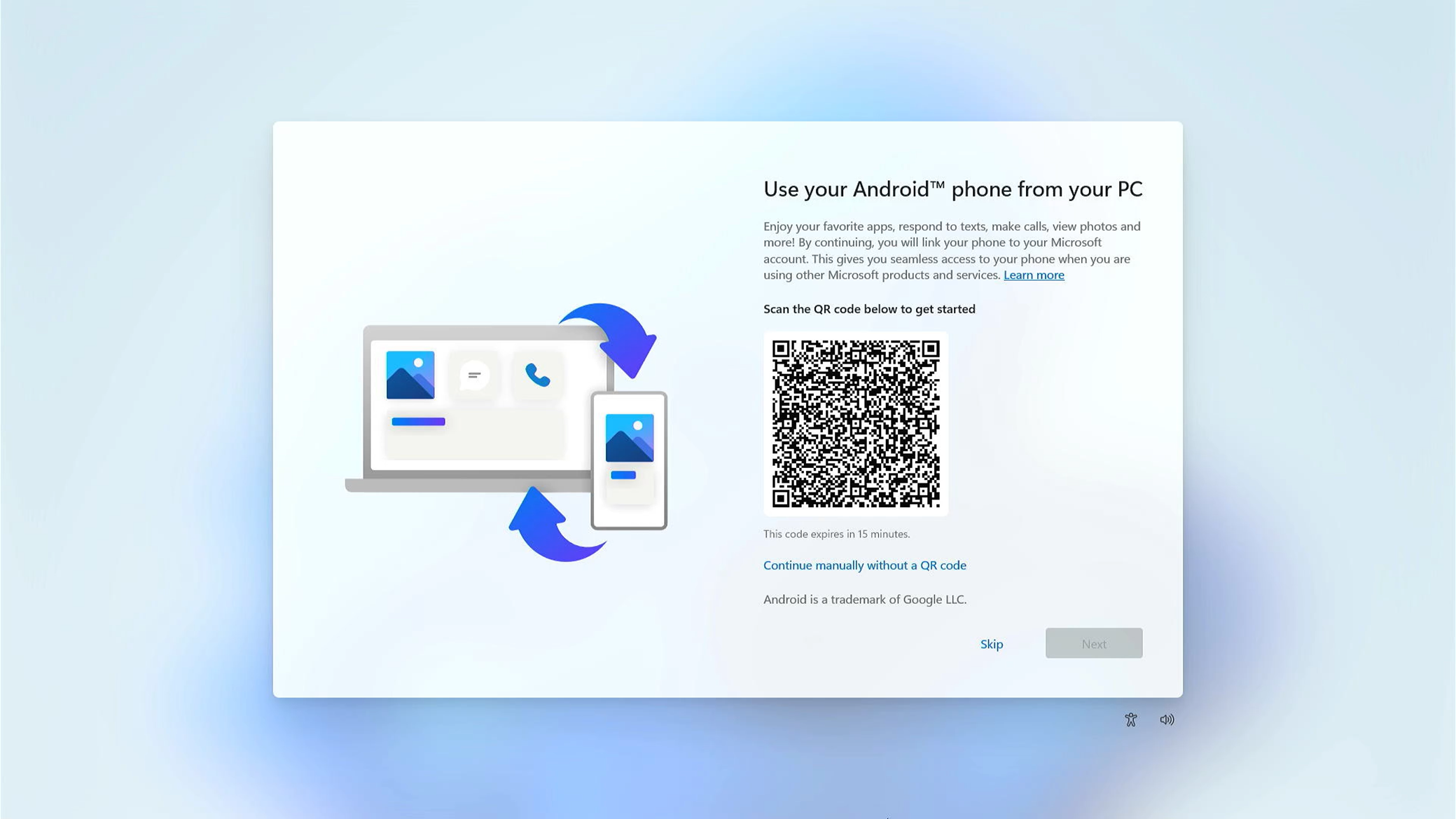
You are able to choose whether you link your phone to your Microsoft account.
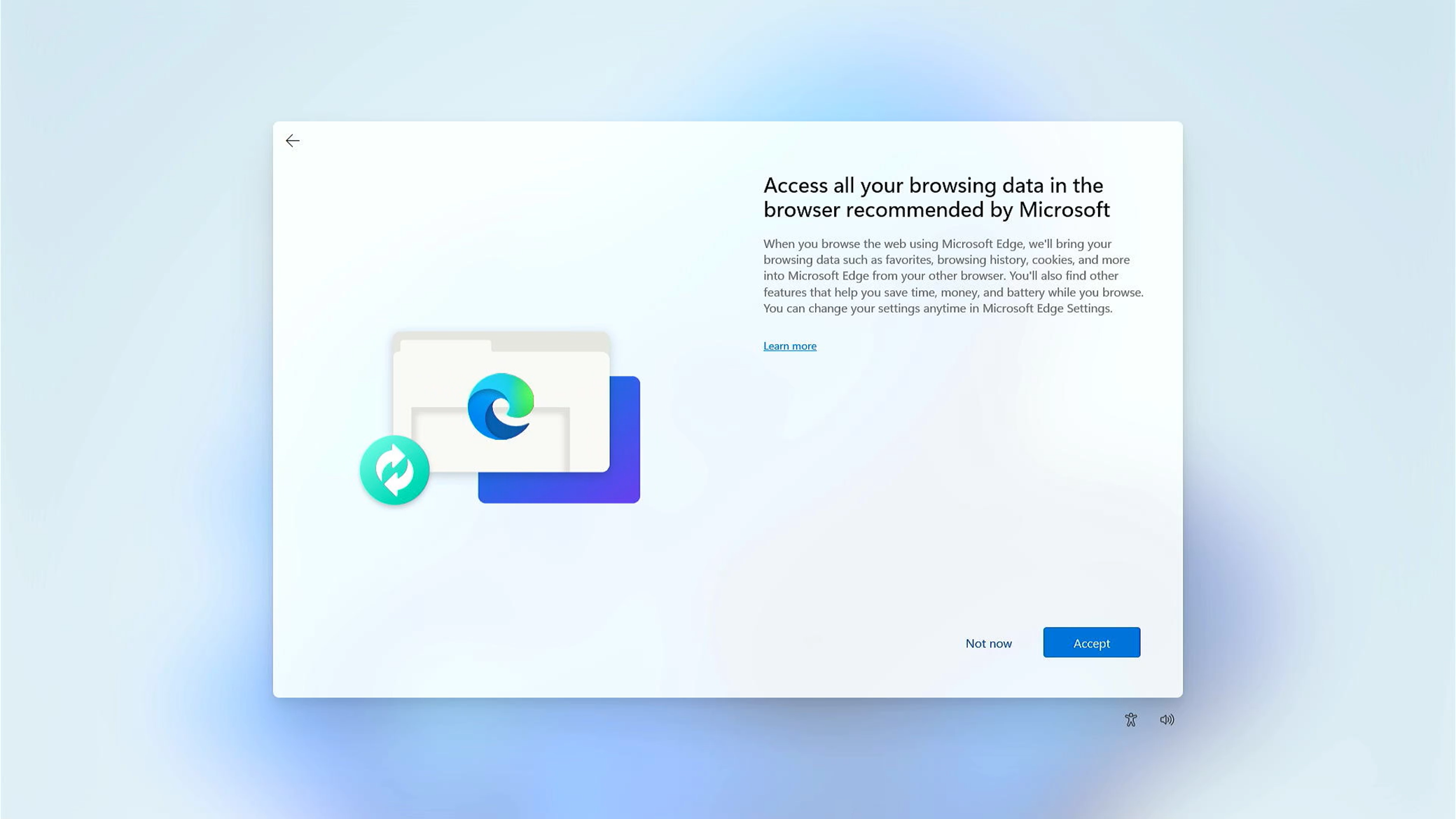
You are able to choose whether access all your browsing data in the browser recommended by Microsoft.
After above basic settings are completed, Windows 11 will start to install applications and preferred settings. Please make sure the computer has enough battery power during the process. It will enter to Windows 11 desktop after all setting procedures are completed.
Windows 10 operating system
Select your region or country①, then click [Yes]②.
Select your keyboard layout③, then click [Yes]④.
If you want to add a second keyboard layout, please select Add layout. Otherwise, please select [Skip]⑤.
Microsoft software license terms, click [Accept] to the next step⑥.
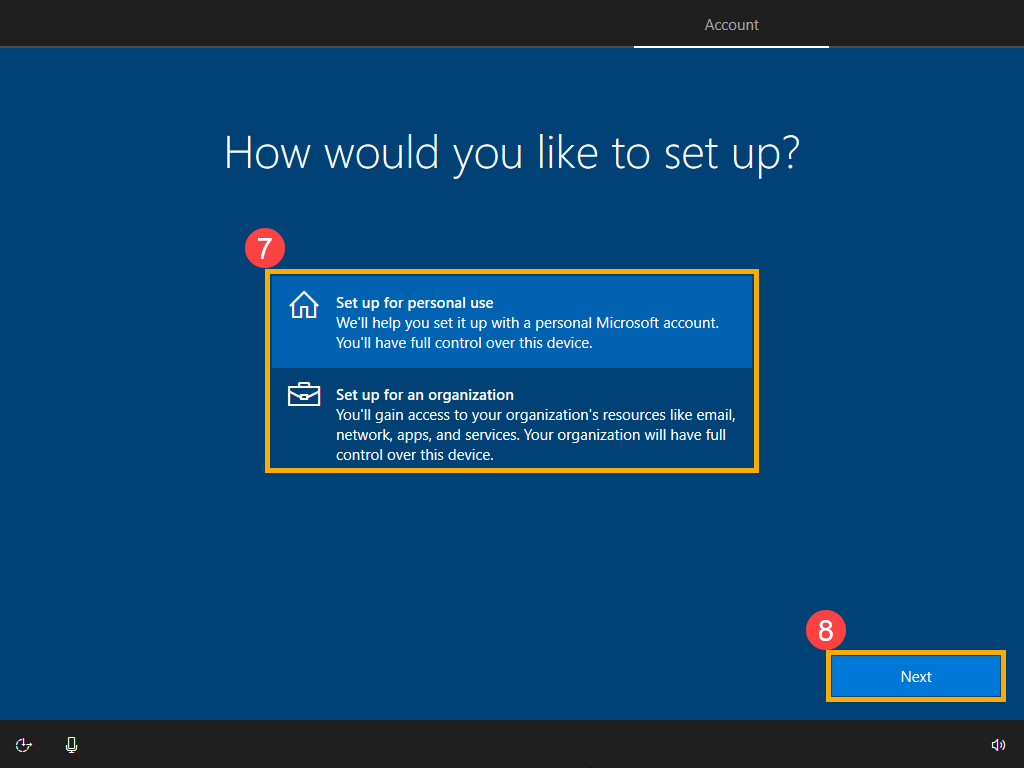
Choose either one you want to set up⑦, then click [Next]⑧.
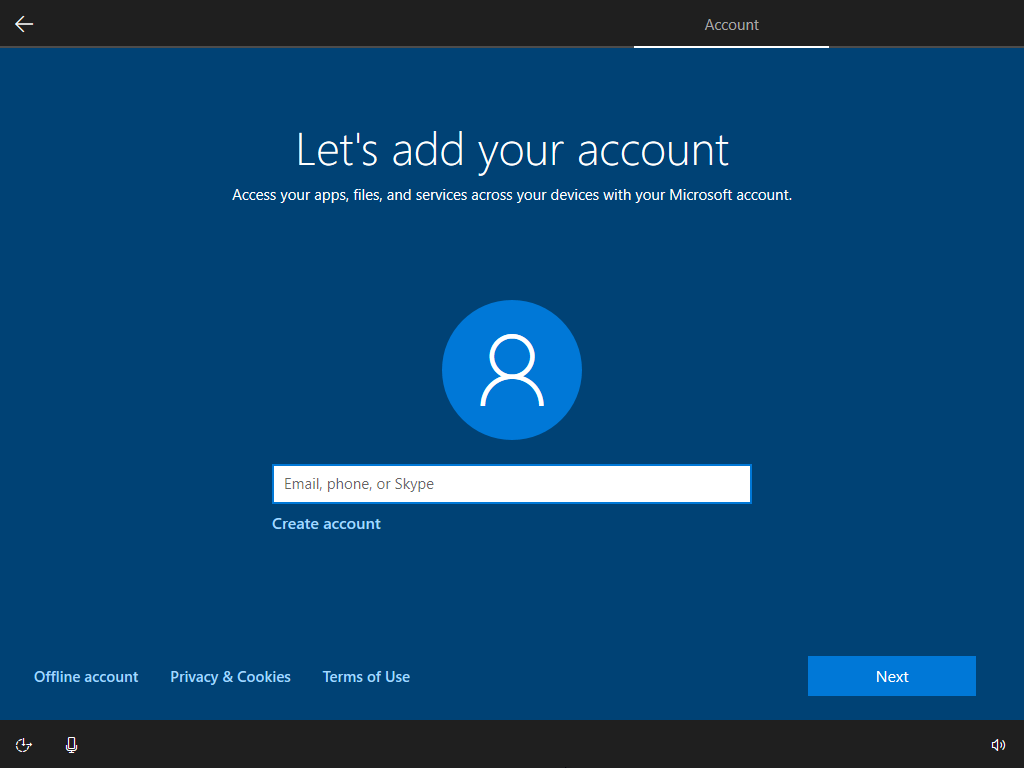
Log in with your Microsoft account. If you have a Microsoft account, please select Next after typing. If you don’t have a Microsoft account yet, you are able to create a new one, and please select Create account. Note: If you log in with a Microsoft account, please go to Step 8 to continue the basic settings of Windows 10. Otherwise, please select Offline account if you don’t want to create it so far. The basic settings of the Windows operating system will continue, and you can create an account again after the settings are completed and the computer enters to the desktop.
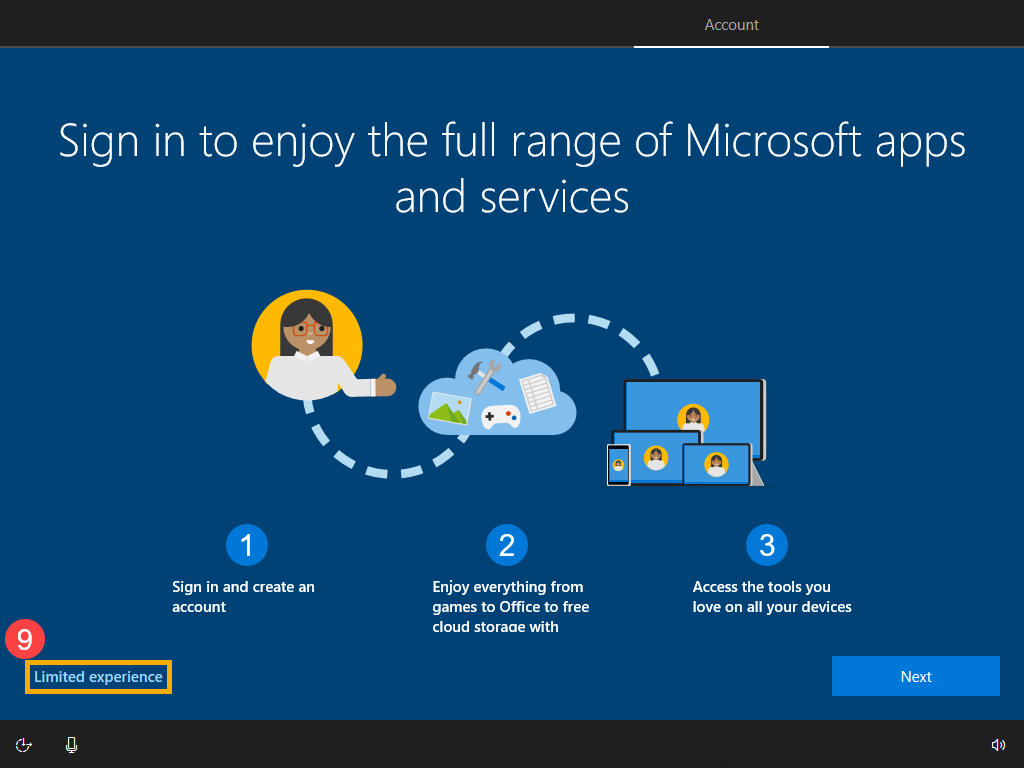
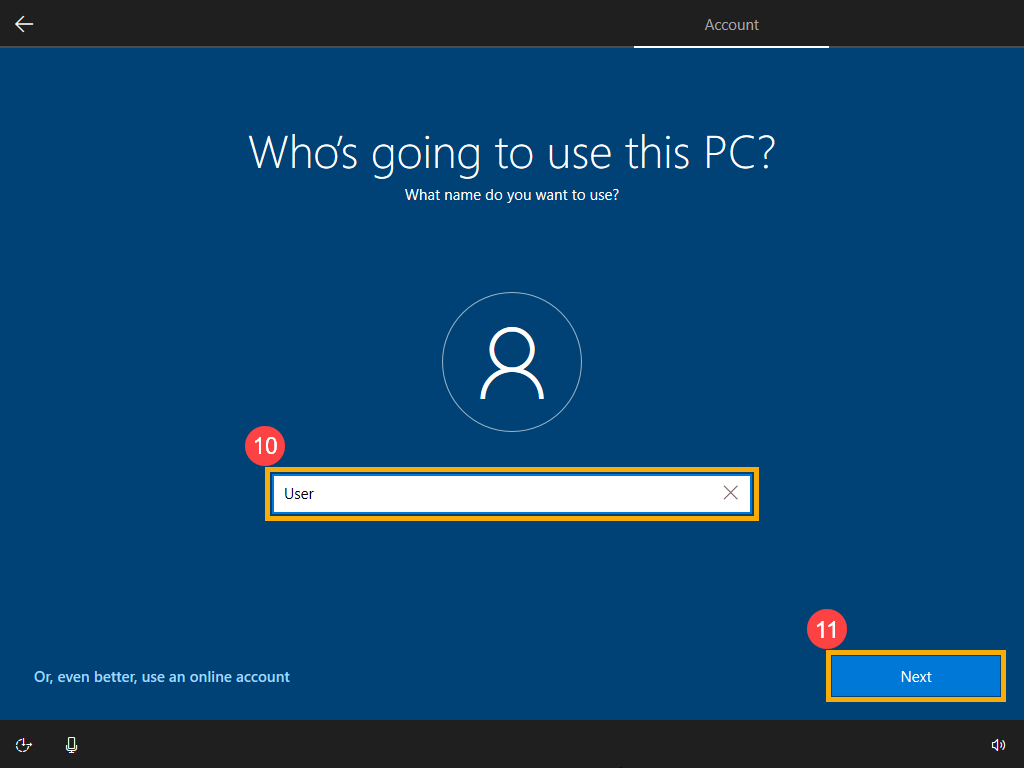
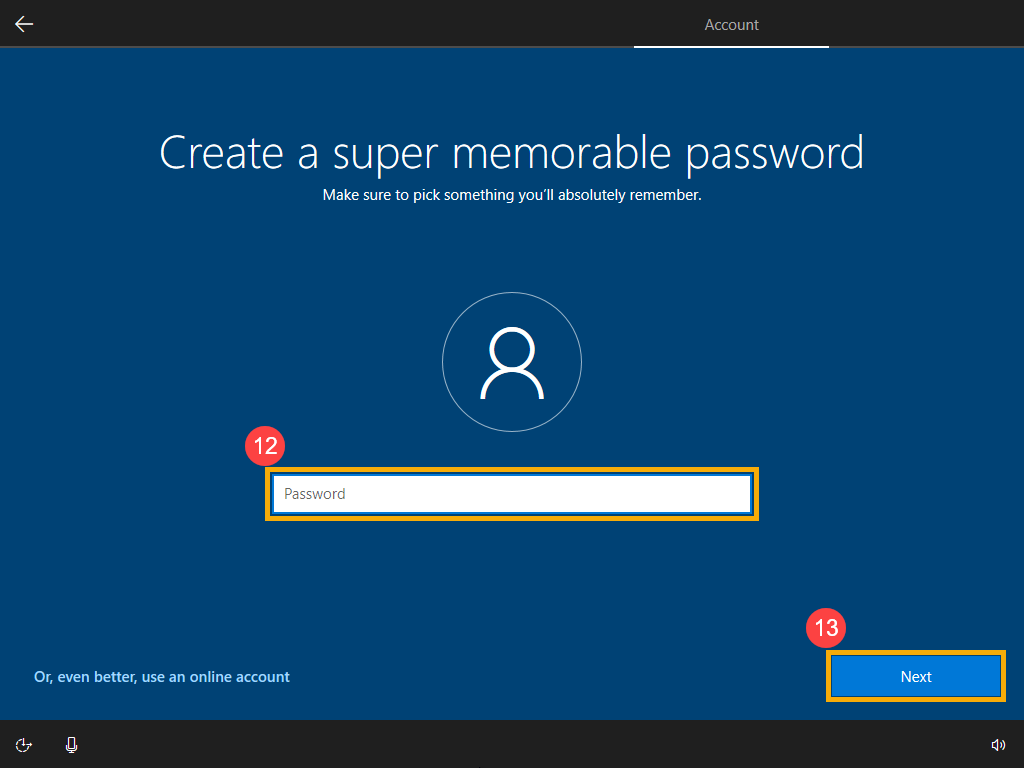
If you log in with the Offline account in the last step, you will see below screen, and then please select [Limited experience]⑨. If you select Next on this screen, you have to log in with the Microsoft account to continues to the next step. Because you didn’t log in with the Microsoft account, you need to use this computer via the local account. Please enter your preferred name⑩, then click [Next]⑪. To protect your personal privacy, please set up a password which is used to log in Windows⑫, then click [Next]⑬. If you don’t want to create a password, please remain the column empty and then click Next directly.
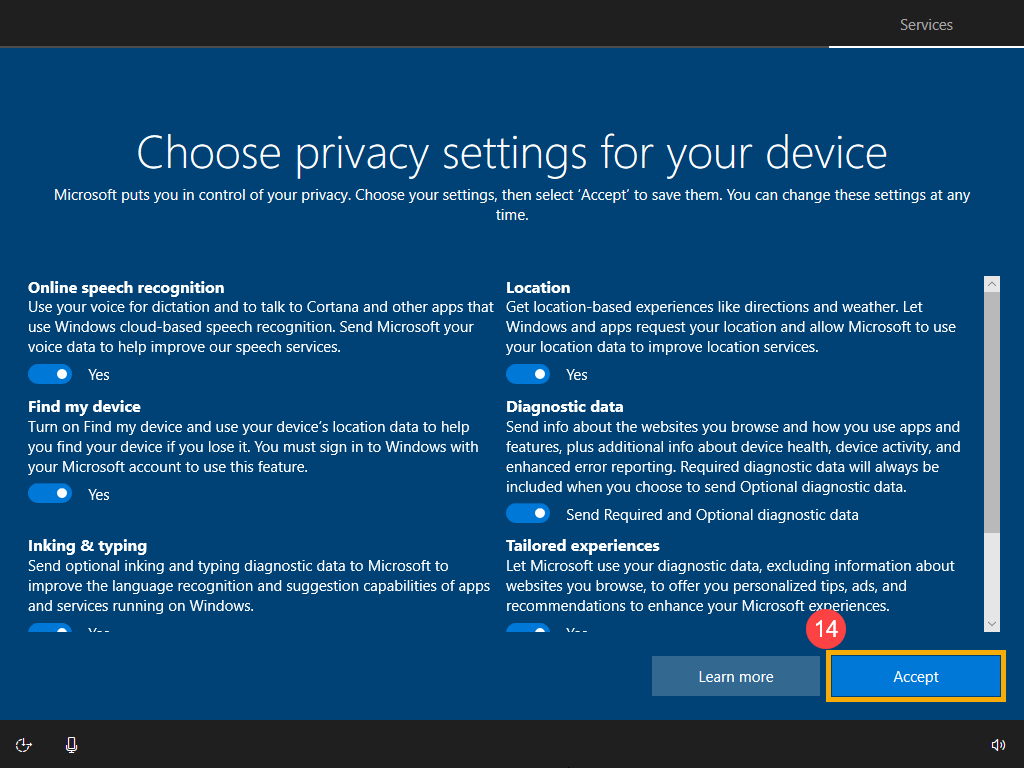
Privacy settings. Please choose the privacy settings which one you agree to let Microsoft accesses, and then select [Accept]⑭ after the options are selected.
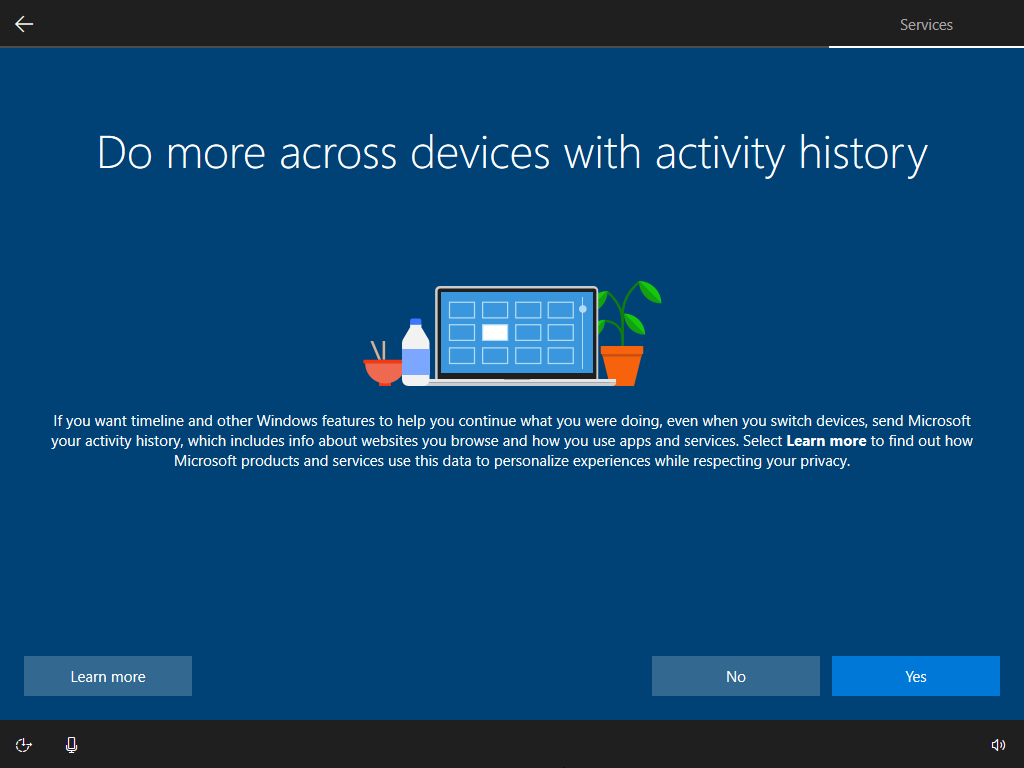
Please choose whether you agree to let Microsoft access your activity history, Microsoft will use the data to personalize your experiences.
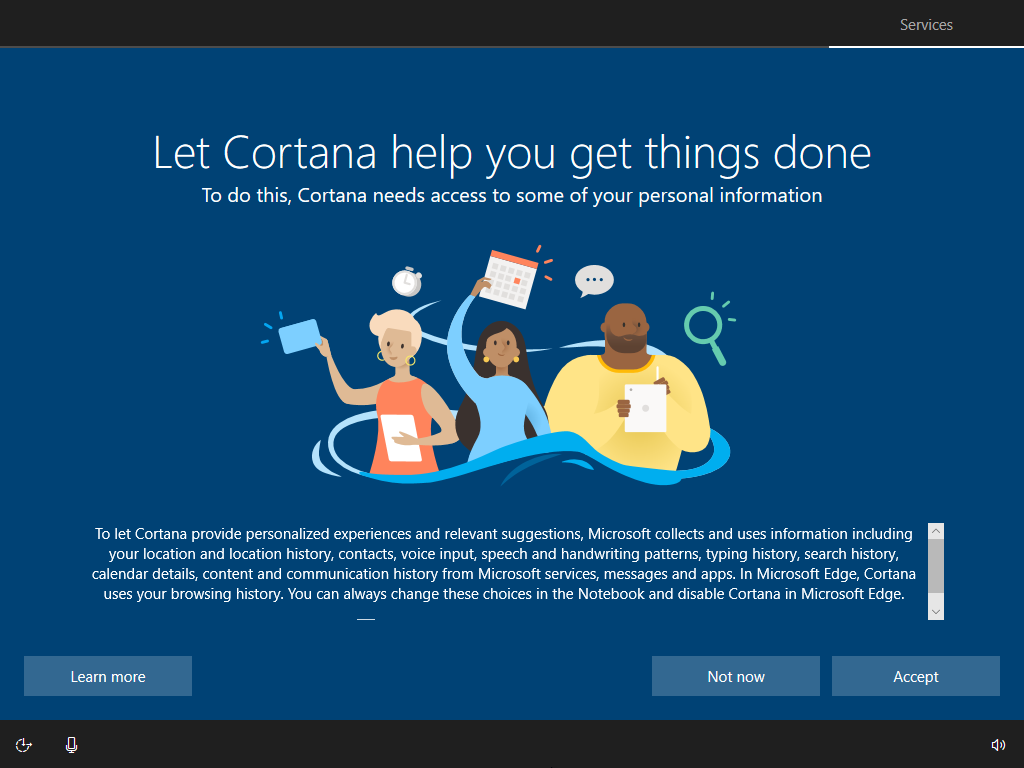
Please choose whether you agree to let Cortana help you.
After above basic settings are completed, Windows 10 will start to install applications and preferred settings. Please make sure the computer has enough battery power during the process. It will enter to Windows 10 desktop after all setting procedures are completed.
Notice
Above information might be partly or entirely quoted from exterior websites or sources. please refer to the information based on the source that we noted. Please directly contact or inquire the sources if there is any further question and note that ASUS is neither relevant nor responsible for its content/service. This information may not suitable for all the products from the same category/series. Some of the screen shots and operations could be different from the software versions.
ASUS provides the above information for reference only. If you have any questions about the content, please contact the above product vendor directly. Please note that ASUS is not responsible for the content or service provided by the above product vendor.